The Finals Store
Aimbot, player and bot ESP, and radar for The Finals on Windows PC. Monthly is $35. Lifetime is $150. Confirm Easy Anti-Cheat status, then checkout.
the finals hacks
Clear · Monthly $35 · Lifetime $150
Instant delivery · Check Easy Anti-Cheat status first
Included features
Aimbot Options
Enable Aimbot
Master switch for aimbot. Leave it off until the rest of the config is set.
Aim Always
Keep aim assist active without holding the aim bind.
Visible Check
Only consider targets you can actually see, so the aimbot skips players behind cover.
Customizable FOV
Set how wide the aim field is. A tighter FOV stays closer to your crosshair.
Draw FOV
Draw the aim field on screen so you can see the radius you configured.
Aim Bind
Choose the key that activates aimbot when Aim Always is off.
Targets (Player, Bot, Team, Coma)
Pick who aimbot can lock: players, bots, teammates, and contestants in coma.
Bone Selection (Closest, Random, Selected)
Aim at the closest bone, a random bone, or one bone you select.
Smoothness
Slow the snap so the crosshair moves toward the target instead of jumping.
Max Distance
Ignore targets past the distance you set.
Visual Options
Player ESP
Mark enemy contestants through walls and smoke.
Bot ESP
Separate practice and world bots from real players.
Teammate
Show or hide teammates so your squad does not clutter the overlay.
Box
Draw a box around each target.
Skeleton
Draw a skeleton so you can read stance and direction.
Snapline
Draw a line from your view to the target.
Health
Show remaining health on the overlay.
View Line
Show which way a contestant is looking.
Name
Show the contestant name when the build supports it.
Distance
Show how far the target is in meters.
Radar Options
Enable
Turn the 2D radar on or off.
Show AI
Plot bots and AI on the radar.
Show Player
Plot enemy contestants on the radar.
Show Team
Plot teammates so you can track the squad.
Zoom
Scale how much of the arena the radar covers.
Transparency
Fade the radar so it does not cover the fight.
Easy Anti-Cheat
Built for The Finals on Windows PC. After a client or Easy Anti-Cheat patch, status may show Updating until tested — the finals hacks publishes live status so you are not buying a dead loader. Status first, load second.
Checkout and delivery
- Confirm current status on thefinalshack.net.
- Only load when status is clear (or accept Updating risk).
- Checkout for digital license delivery worldwide.
- Follow the complete arena guide after delivery.
Feature preview
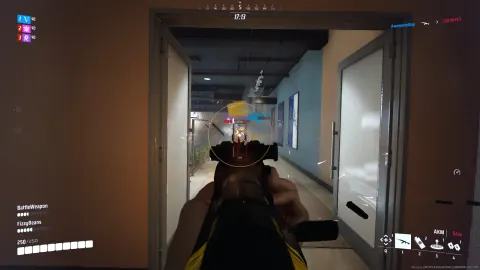
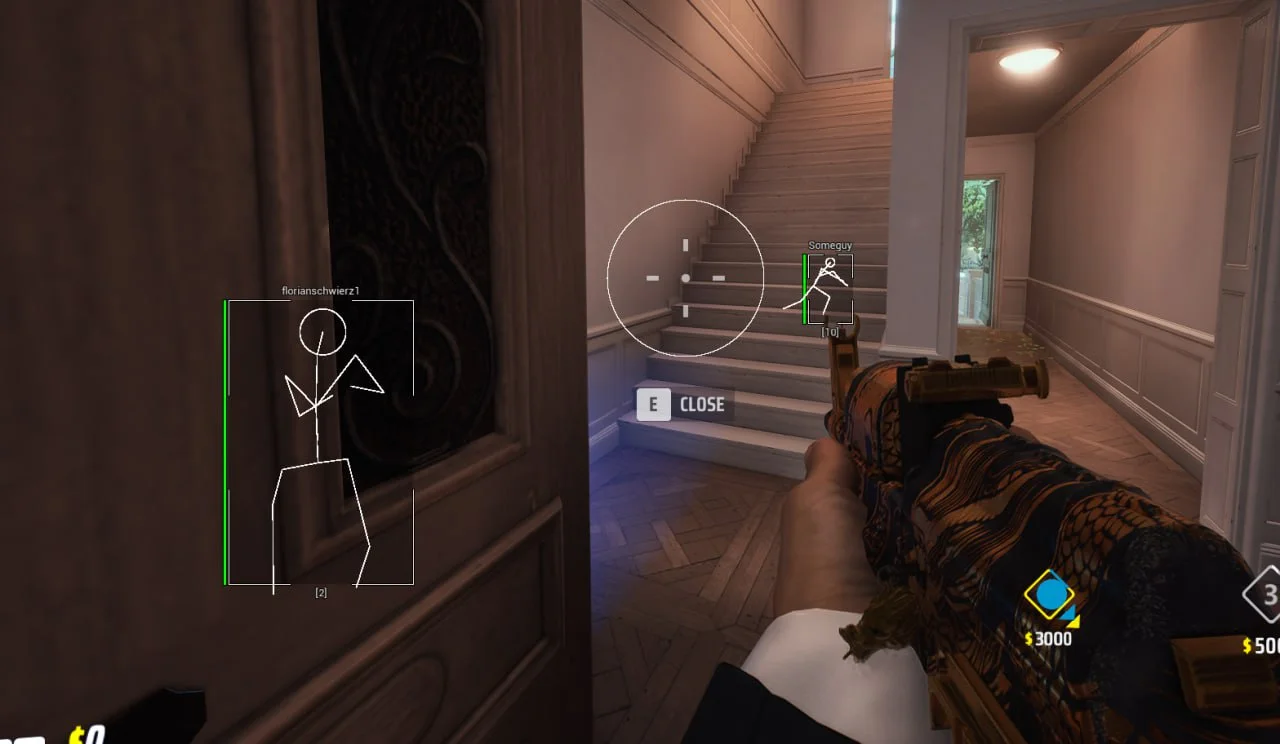
Preview of aimbot, ESP, and radar options for The Finals on PC.
the finals hacks aimbot and ESP preview
The Finals store FAQ
Status, features, plans, delivery, and load questions before checkout.
How much do the finals hacks cost?
Monthly access is $35 for 30 days. Lifetime access is $150. Confirm the live Easy Anti-Cheat status on thefinalshack.net before checkout.
What does it mean when Easy Anti-Cheat detected The Finals?
That phrase usually shows up right after an Easy Anti-Cheat or game patch. On this site it means you should read the status label. If the label says Updating, wait. Load only when status is clear.
What visuals are included?
Visual options cover player ESP, bot ESP, teammates, box, skeleton, snapline, health, view line, name, and distance.
What does the radar show?
Radar can show AI, players, and team, with zoom and transparency so you can scale the arena view without covering the fight.
How do I buy the finals hacks?
Start on the homepage, confirm Easy Anti-Cheat status, and review monthly at $35 or lifetime at $150. Open the store page for the feature list, then continue to checkout for digital delivery.
Where do I get support?
Use the Get Support button on the Support page. It opens the Discord server. Include your order ID and whether you need load, menu, or delivery help.